
How to: Adjust the focal length of your 4th Generation Wi-Fi bullet camera (GFWF4B)Updated a month ago
This guide will run you through how to adjust the focus and zoom for your 4th Gen Wi-Fi bullet camera (GFWF4B) pictured below. If you are unsure of which camera you have please check here.
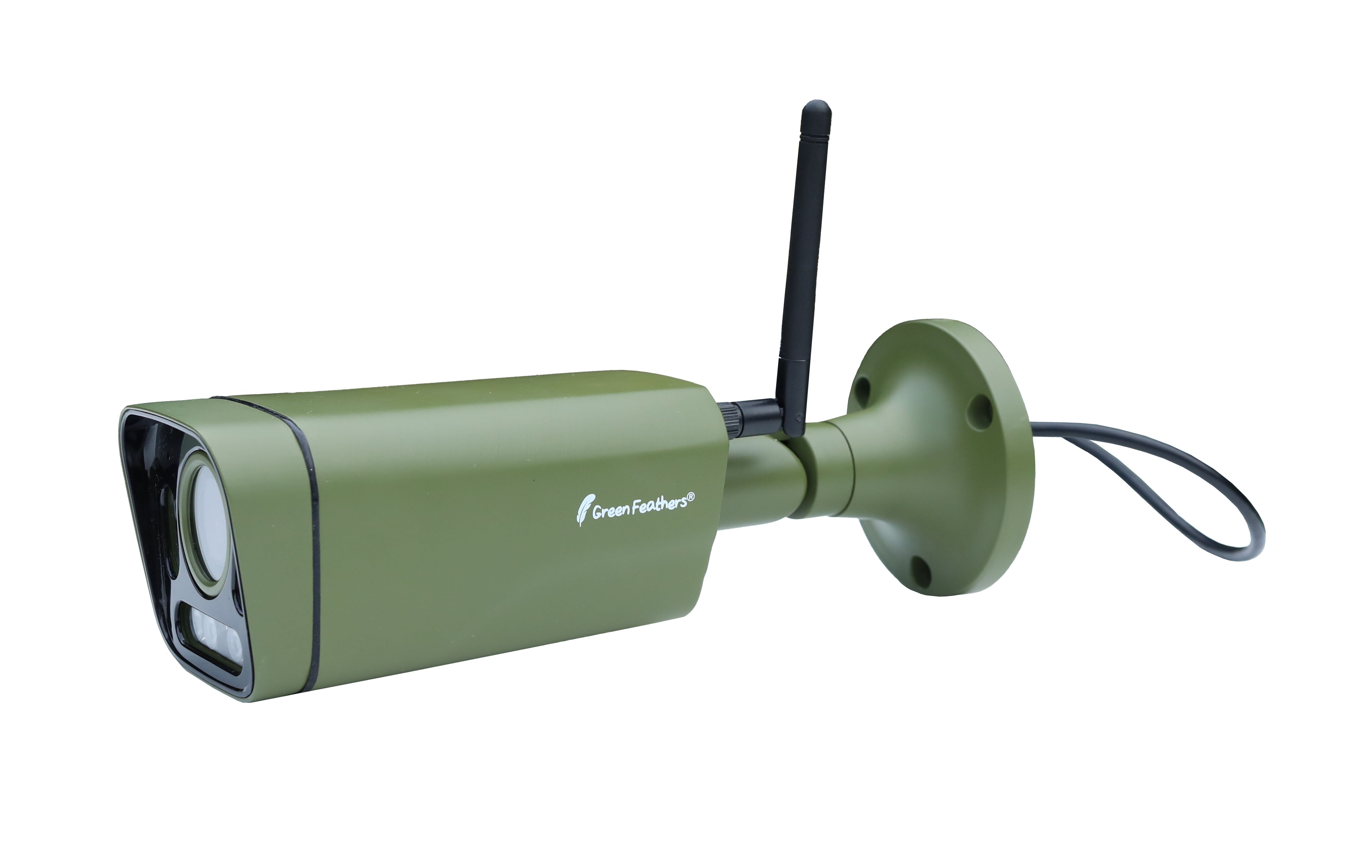 |
The manually adjustable lens allows you to zoom in and focus the camera on a specific target or zoom out and have a wide-angle view of the garden, the choice is yours. The lens goes from 2.8mm-12mm and has fully adjustable focus with 2 screws under the camera.
Firstly, make sure that you have connected your camera to the Green Feathers app using either QR mode or AP mode as you will need to be able to see the camera's image to adjust the focal length accordingly.
There are two screws on the bottom of the camera to adjust the focal length. The screw closest to the camera bracket controls the zoom and the screw closest to the lens controls the focus.
We would first recommend adjusting the zoom of the camera to your desired distance. The camera will initially be set at a wide angle. To zoom in, please turn the screw furthest from the camera lens counter clockwise. To zoom out, please turn this clockwise.
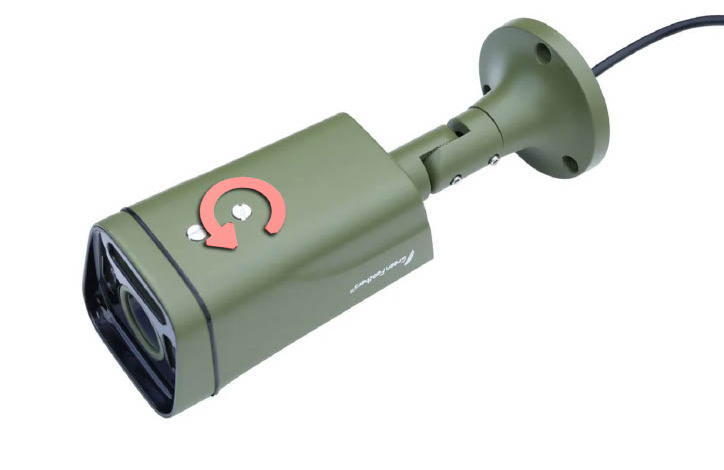
You will then need to adjust the focus, this can be done by turning the screw nearest to the camera lens. The focus is fully adjustable.
Please be advised, if you have changed the focus on the camera and you need to re-add the camera to the app, you will need to do this in AP mode instead of QR. This is because the camera won't be able to read the QR code on your phone screen.
Need more help?
If you need help with anything else please check out our other guides or get in contact.